Vowen 0.6.3 Release notes
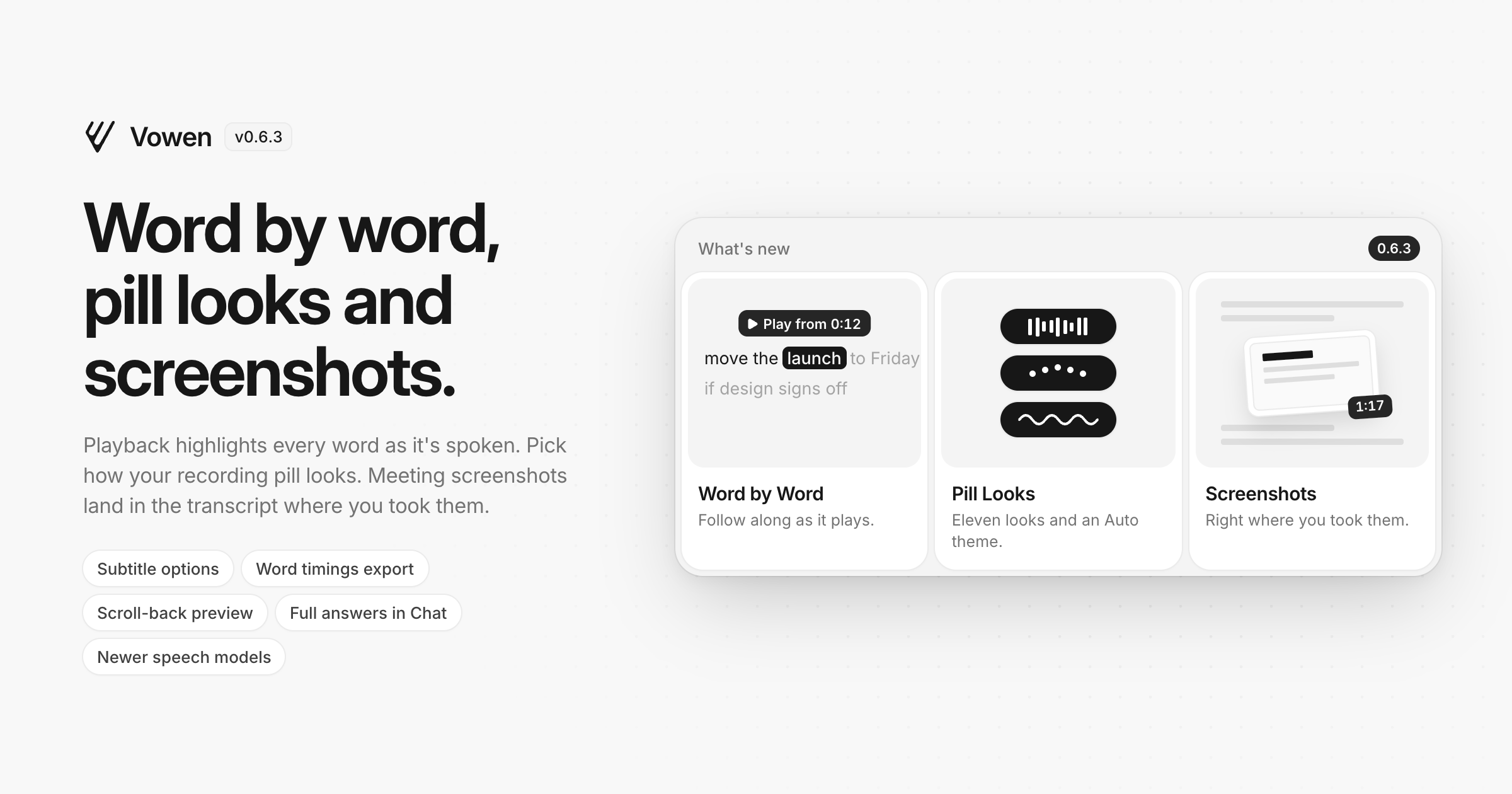
Vowen now highlights each word as your transcripts and meeting notes play, puts your meeting screenshots right into the transcript, and lets you choose how the recording pill looks.
New
Follow along word by word — While a transcription or meeting note plays, the word being spoken is highlighted and the transcript scrolls with it. Select any word to play from that moment. Scroll away to read and the transcript stops following you. You can turn the highlight off in the Details sidebar.
Appearance and pill looks — Settings has a new Appearance page. Its Auto theme follows your system's light and dark mode, and there are eleven looks for the recording pill, from Pixel and Dots to Oscilloscope and Skyline. The meeting notes indicator uses your look too. The live preview, indicator style and position settings now live here as well.
Screenshots in the transcript — Screenshots you take during a meeting now appear in the transcript at the moment you took them. Click one to step through them all, see them as a grid, play the meeting from that moment, copy the image or show it in its folder.
Subtitle options (Pro) — When you export SRT or VTT, choose one word per caption, how many characters fit on a line, how many lines each caption has and whether speaker names show. Captions follow the spoken words whenever the transcript has word timings.
Export with word timings (Pro) — A new JSON export holds each part of the transcript with its speaker, its start and end times, and the time of every word, ready for scripts and video editing tools.
Choose a speech provider's model — A speech provider's Advanced section takes a model ID for dictation and another for files and meetings. Vowen checks it on a short sample clip before saving, so you can move to a provider's newer model without waiting for an update. Leave it empty to keep using the model Vowen recommends.
Screenshots for Claude Code and Codex — Meeting summaries, Ask AI and Live Ask now send your screenshots and attached images to Claude Code and Codex, just like the other AI providers.
Improved
Scroll back in the live preview — Scroll the live preview to reread earlier words during a long dictation. It now uses its full width, shows a small arrow when there is more to read, and has a text size setting in Appearance.
Failed notes explain what happened — A note that failed to transcribe now says what went wrong, such as a dropped connection or a rejected API key, and retries in place with the same model or another one.
Full answers in Chat and Live Ask — Chat and Live Ask can write as much as the model allows, so questions about a long transcript get a complete answer instead of an empty one. If an answer is cut short, Vowen says so. More providers also write long meeting summaries in full.
Newer speech models — Soniox v6, AssemblyAI Universal-3.6 Pro for dictation in 32 languages, Speechmatics Enhanced for files and meetings, and Sarvam Saaras v4. Sarvam now uses your vocabulary for files and meetings too.
Deepgram auto language — With Nova-3 set to Auto, Deepgram learns the languages you dictate in, so short English dictations stop coming back in another language.
Cleaner filler removal — Removing "um" and "uh" keeps the punctuation and capitals around them, and leaves code, emails, file paths and quotes alone.
Live transcript reconnects — If a meeting's live transcript stalls after a Wi-Fi change or sleep, it reconnects within about 10 seconds and carries on. The recording itself is never affected.
Microphone reconnects mid-meeting — If your microphone disconnects during meeting notes, such as a Bluetooth headset dropping out, Vowen switches to your next microphone instead of recording you as silence.
Faster recording start (macOS) — A microphone you picked by name starts as quickly as the system default, and Duck waits for the microphone to start before lowering other audio.
Summary settings match the note — The Details sidebar shows the model and template that wrote a note's summary, or the ones it is being summarised with, so Regenerate starts from the right ones. Identify Speakers matches how the transcript was made.
Readable while regenerating — While a summary or transcript regenerates, the current one stays readable and editable, and the new one settles in when it is ready.
Model downloads resume — An interrupted model download picks up where it stopped instead of starting again.
Open Vowen from the tray — The tray menu has an Open Vowen item that brings up the main window without opening Settings.
Zoom into pre-reads — Zoom PDFs and images in the meeting panel's Pre-reads with Ctrl or Cmd and scroll.
History actions stay in reach — On a long History item, copy and the other actions sit on the first line and stay in view as you scroll.
Fixed
"Filter" becoming "philtre" — British English no longer swaps in different words such as "philtre", or old spellings such as "mediaeval".
Clipboard lost after pasting — Something you copy just after a dictation, or a second dictation straight after the first, no longer replaces what was on your clipboard.
Volume reset after recording — If you change the volume while Duck is lowering it, the volume stays where you put it when the recording stops.
Local Whisper getting stuck — A local Whisper transcription that stops responding now times out instead of holding up every dictation after it.
GPU Whisper crashing repeatedly (Windows) — If the GPU version of Whisper keeps crashing, Vowen switches to the CPU version. Running out of GPU memory once no longer turns the GPU off for good.
Echo after a hiccup in meeting audio — After a brief stall, the other side's audio catches up within seconds instead of sounding like a delayed repeat for minutes.
Missing punctuation and words — Speechmatics transcripts keep their punctuation, and xAI transcripts with speaker detection no longer drop words.
Azure OpenAI summaries — Meeting summaries with Azure OpenAI run instead of failing as unsupported.
OpenAI Pro models in Chat — GPT-5.5 Pro and GPT-5.4 Pro answer in Chat and Live Ask instead of failing.
Follow-up questions on a custom API — Chat through a custom API remembers the earlier messages in the conversation.
Workflows on Groq, DeepSeek and OpenRouter — Workflow routing works on these providers instead of failing.
Threads and dictionary clashing — A dictionary spelling no longer changes the text a thread just inserted, and removing a word no longer leaves a double comma or space behind.
Data lost after a power cut — Settings, history and notes are fully saved to disk before they replace the old copy, and data files you linked to another folder stay linked.
Banners hidden below the screen (macOS) — With the Notch style at the Bottom position, banners stay in view after you change displays.
Empty taskbar buttons (Windows) — The recording indicators no longer leave blank buttons on the taskbar after Explorer restarts or your PC wakes.
To update, open Vowen and it will pick this up automatically, or download the latest build from vowen.ai.