Vowen 0.6.1 Release notes
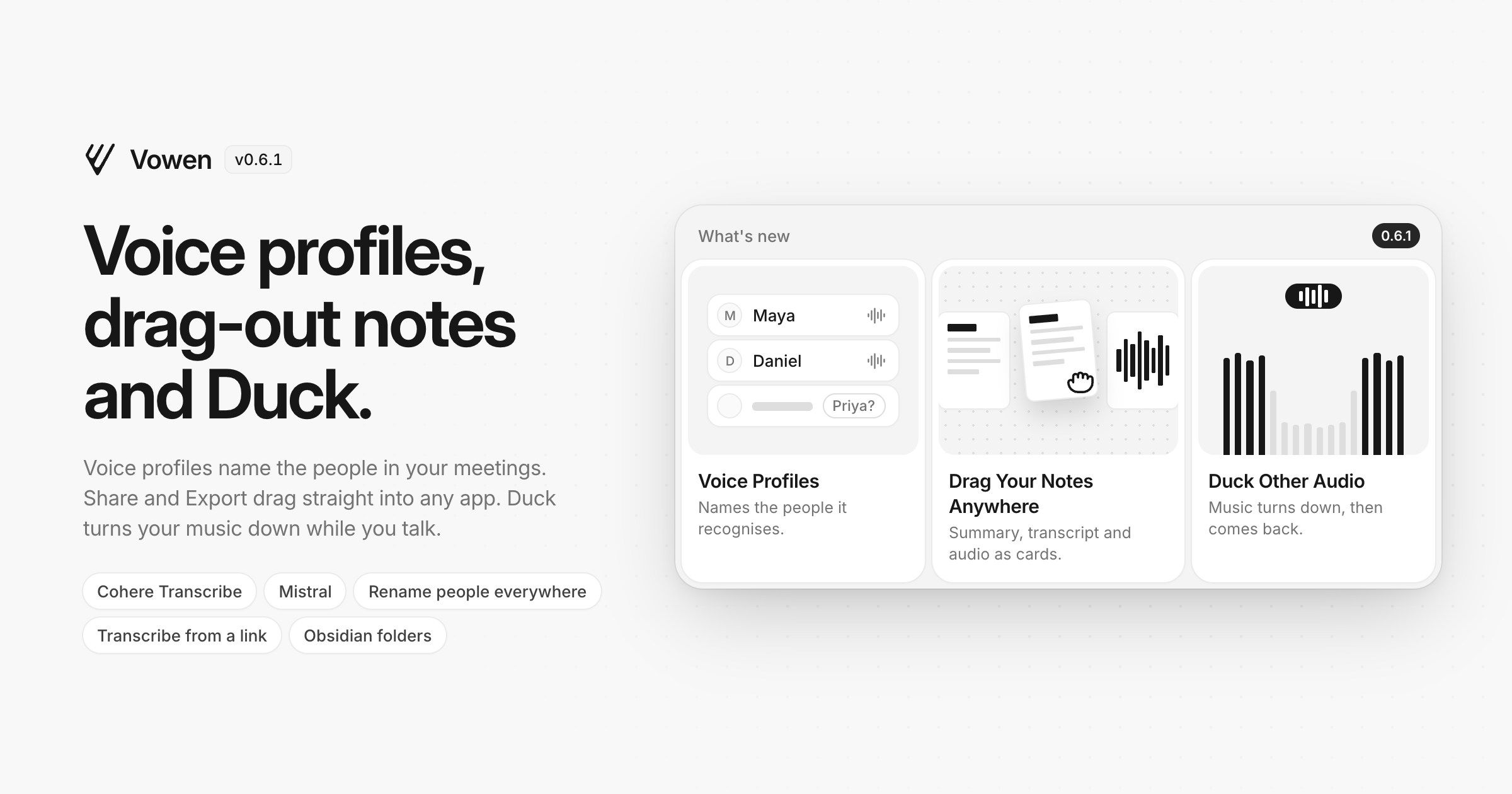
Vowen now learns the voices in your meetings, lets you drag your notes straight into any app, and can turn your music down while you talk. It also brings a new local speech model on macOS, Mistral as an AI provider, and a long list of fixes.
New
Voice profiles (Beta, Pro) — Vowen learns the voices in your meetings and names the people it recognises in new meeting notes and transcriptions. When it is not sure, it suggests a name for you to confirm or dismiss. Every name you set teaches it a little more, a name you typed yourself is never replaced, and your profiles sync across your devices. You can rename, merge or delete profiles in Settings › Meeting Notes › Voice profiles.
Drag your notes anywhere (Pro) — Share and Export now show your summary, transcript and audio as small page cards. Pick one to export, or drag it straight into an email, a chat or a folder, in the format you chose. Bulk export works the same way for a whole selection of notes.
Cohere Transcribe (macOS) — A new local speech model for Apple Silicon, with a live preview while you talk, automatic language detection and speaker labels in meetings. It runs entirely on your Mac and downloads from Speech models.
Microsoft MAI-Transcribe-2 — Microsoft Foundry joins the speech providers, with a live preview while you dictate, using your Azure Speech key.
Mistral — Mistral Small, Medium and Ministral are available for AI enhancement, command mode, Ask AI and summaries.
Rename people everywhere — Rename someone from the People filter in Notes and the new name appears in every meeting and transcription, on all your synced devices. Renaming to a name that already exists merges the two.
Obsidian folders by template or tag (Pro) — Send notes to their own folder, or to another vault, based on their template or tag. Everything else keeps going to your usual Obsidian folder.
Improved
Duck other audio (Pro) — Next to Mute and Pause, recording can now lower your music and calls instead of stopping them. When you stop, the volume goes back exactly where it was, balance included.
Command mode replies keep their formatting — Bold text, headings, lists and tables in a reply paste as formatted text in Mail, Gmail and other rich editors, and as plain Markdown in editors that do not take formatting.
Screenshots with Direct Input (Pro) — Click-capture screenshots are now inserted when you use Direct Input, right after the typed text.
Smart spacing is back — Smart spacing and capitalization has its own switch in Settings › General again. Turn it on to match the spacing and casing of the text around your cursor. It leaves your text alone wherever it cannot read it, such as terminals, and never lowercases names, days or months.
Stop hands-free with any shortcut — Any of your dictation shortcuts now stops a hands-free recording, however it was started.
Screenshots only for models that can see — Command mode, Ask AI and meeting summaries no longer send images to text-only models, so those requests stop failing. Settings marks which models are text only.
Undo removing a tag — Removing a tag shows an Undo bar for a few seconds, and deleting a tone now asks first.
Recordings kept by default — New installs keep audio recordings, so History items can be played back and retried. History also shows that holding an item opens its recording. Existing installs keep the setting they had.
Cleaner PDFs — Exported PDFs have clearer type, real task checkboxes and page numbers.
And a few smaller touches — Hide the Get started checklist from its menu (and bring it back from General), keep scrollbars visible with a new setting in General, and see an update's download progress on the sidebar card instead of in a popup.
Fixed
Direct Input typing out of order (macOS) — When your Mac is busy, Direct Input no longer types part of the text at the end, or drops the last few words.
Double tap restarting the recording — A slightly longer first tap of a double tap now locks hands-free instead of stopping and starting a new recording.
Tab leaking into the app behind (macOS) — Confirming a command mode reply with Tab no longer moves the cursor in the app you are typing into or deletes a character.
Meeting notes using the dictation model (macOS) — Meeting notes, file transcriptions and Retry use the Parakeet model you picked for them, whatever dictation is using. After a CoreML error, Parakeet now restarts itself and tries again instead of failing until you quit Vowen.
Greek final sigma (macOS) — Greek dictation with Parakeet Ultra ends words with ς again.
Drag to insert in Google Slides (macOS) — Dictating into Google Slides and similar canvas apps pastes the text instead of asking you to drag it in.
Failed transcript regeneration — If regenerating a transcript fails, the note keeps its previous transcript and summary, and regenerating keeps the voices you already confirmed.
Regenerate transcript model — Regenerating a file transcription starts on the model chosen in Transcribe settings.
Installing the command line tool (Windows) — Install and Update CLI no longer damage a PATH that contains accented characters, and no longer freeze Vowen while they run.
Stray tags in AI cleanup — AI cleanup no longer pastes leftover transcript tags around your text.
Smaller fixes — The language and microphone pickers in Settings dim the whole window again, tooltips near the top of a window are no longer cut off, failed items in History are grey again instead of red, and vowen:// links open What's New and switch pages even while a note is open.
To update, open Vowen and it will pick this up automatically, or download the latest build from vowen.ai.